
Application Modernization Challenges: 10 Risks and Fixes in 2026
Application modernization challenges rarely appear on day one. In my experience leading modernization projects, they surface the moment a team realizes it does not fully understand the system it is changing. The numbers reflect this: nearly half of Australian organizations are behind on their modernization goals, even as boards push for AI and regulators tighten expectations on legacy technology.
In this article, I break down the 10 challenges I see most often, in the order a project meets them: before you start, during delivery and after go-live. For each one, you will find the warning sign to watch for and a practical way to fix it, plus a self-check you can run on your own project.
Key Takeaways
- Application modernization challenges are predictable: most send warning signs months before the budget or timeline breaks.
- Only 9% of organizations fully understand their applications’ dependencies, so discovery is the cheapest place to remove risk and recover lost business logic.
- A business case built only on cost savings rarely survives the first overrun; tie it to outcomes the board already tracks.
- During delivery, data quality, hybrid integration, compliance (CPS 230, the Privacy Act, the Essential Eight) and business continuity need owners from day one.
- Go-live is not the finish line: low user adoption and new technical debt can erase the return.
- AI speeds up code conversion and documentation, but every AI-generated change still needs test baselines and human review.
What Makes Application Modernization So Hard in 2026?
Application modernization challenges are the technical, regulatory and organizational obstacles that delay or derail updating legacy applications. In 2026, Australian businesses face three pressures at once: aging core systems, stricter security rules and board demand for AI.
- 49% of Australian organizations are behind on their modernization goals
- About 55% of Australian mainframe estates are more than 10 years old
- 59% of Australian government entities said legacy technology limited key cyber controls
Regulators are adding pressure. In September 2026, Home Affairs ordered federal agencies to stocktake and reduce their legacy systems after an AI agent accessed a legacy Medicare statistics portal. For private-sector leaders, legacy system modernization is now a security and AI-readiness issue, not a back-office upgrade.
There is a clear pattern behind these numbers: the hardest problems appear the moment a team learns what it did not know about its own system. In a survey of 200 senior IT leaders, confidence in understanding their applications fell from 70% at preparation to 41% at planning and 28% at kickoff. I call this the confidence cliff, and it is why the 10 challenges below follow the order a project meets them.
10 Application Modernization Challenges and How to Overcome Them
The 10 application modernization challenges below follow the order a project meets them, from discovery before kickoff to adoption after go-live. Three are hidden in your current system, four appear during delivery, two surface after launch, and one, AI, runs across every phase. Use the table to check which warning signs your project already shows.
| # | Challenge | Phase | Warning sign |
|---|---|---|---|
| 1 | Poor visibility into dependencies | Before you start | Estimates change after every workshop |
| 2 | Lost business logic and tribal knowledge | Before you start | One person approves every core change |
| 3 | A weak business case | Before you start | The case rests only on maintenance savings |
| 4 | Data migration and data quality debt | During delivery | Nobody owns data cleansing |
| 5 | Integration with systems you cannot change yet | During delivery | New point-to-point links appear mid-project |
| 6 | Compliance and security obligations | During delivery | Compliance review is scheduled just before go-live |
| 7 | Keeping the business running | During delivery | The feature freeze has no end date |
| 8 | Low user adoption | After go-live | Training starts after launch |
| 9 | New technical debt in the new system | After go-live | No one owns monitoring or cloud spend |
| 10 | AI-assisted modernization and AI governance | Across all phases | AI-converted code ships without test baselines |
Each warning sign is expanded into a full self-check later in this article, with the first action to take this week.
1. Poor Visibility Into Dependencies and Undocumented Applications
Phase: Before you start
Most modernization projects slip because teams do not fully know what their applications depend on. Globally, only 9% of organizations fully understand their applications’ dependencies, and a quarter run large numbers of undocumented applications. A typical Australian example is a nightly batch job in an insurer’s policy system that three other systems quietly read from.
This gap builds up over decades of patches, mergers and staff turnover. Integrations were added point to point, documentation stopped being updated, and the people who built them moved on. Each hidden link then becomes a scope change once the work starts.
Warning sign: nobody can draw the integration map from memory, and estimates change after every workshop.
The fix starts with a system inventory, built before anything is scoped. Combine automated dependency mapping with runtime traffic analysis, so you see what the system actually does rather than what old documents say. Then confirm the map with the business owner of each connected system.
2. Lost Business Logic and Tribal Knowledge
Phase: Before you start
Legacy applications often hold business rules that exist nowhere else, and the people who understand them are leaving. In one survey of senior IT leaders, 46% said they do not have enough talent to manage their legacy applications. Picture a superannuation fund where contribution rules live in COBOL routines and stored procedures written 20 years ago.

These rules were coded to fix real problems, such as a regulatory change, a special client agreement or an edge case in billing. Over time, the reasons behind them were forgotten, while the code kept running. Rebuild without them, and the new system produces different results from the old one.
Warning sign: one person must approve every change to a core module.
Protect that knowledge by turning it into tests before any code changes. Characterization tests record what the current system actually outputs for real inputs, so the new version can be checked against them. Pair your legacy experts with the new team early, and record every rule decision in a shared log.
3. A Business Case That Cannot Survive Board Scrutiny
Phase: Before you start
A business case built only on cost savings no longer convinces Australian boards. Australian organizations are moving away from cost reduction as their main reason to modernize. They now cite business agility, stronger governance of critical systems, and better performance, security and integration.
The savings-only case also breaks easily. When a logistics company promises lower hosting and support bills, the first overrun wipes out the projected return, and the board starts asking whether to stop. Without a clear business outcome, nobody can defend the extra spend.
Warning sign: the business case rests only on maintenance savings.
A stronger case ties modernization to outcomes the board already tracks. Examples include release frequency, incident rates, compliance gaps closed and the AI use cases the new platform unlocks. Then fund a short discovery phase first, so the full budget request is based on evidence rather than estimates.
4. Data Migration and Hidden Data Quality Debt
Phase: During delivery
The biggest data risk is not losing records during migration; it is moving years of bad data into a new system. Legacy databases collect duplicate customers, conflicting date formats and fields reused for purposes they were never designed for. A private healthcare provider, for example, may find the same patient stored three times under slightly different names.
This debt stays hidden because the old application was built around it. Workarounds in the code and in staff routines quietly correct the errors every day. Once the data moves, those workarounds disappear, and reports, integrations and customer records break at the same time.
There is a compliance side too. Under Australian Privacy Principle 11, organizations must destroy or de-identify personal information they no longer need. Migrating everything by default can carry that risk straight into the new platform.
Warning sign: nobody owns data cleansing, and the plan assumes the data can be moved as it is.
Bad data is cheapest to fix at the source, so profile and clean it before it moves, not after. Agree on what to archive or delete, run reconciliation reports at every load, and name a business owner for each data domain. The same discipline applies when the target is a cloud migration.
5. Integrating Modern Apps With Systems You Cannot Change Yet
Phase: During delivery
Most Australian businesses will run old and new systems side by side for years, so integration is a long-term design problem, not a one-off task. About a quarter of Australian mission-critical applications still run primarily on mainframes. Over the next 12 months, 80% of organizations expect to use more public cloud, yet 49% also expect to grow on-premises infrastructure.
A regional bank shows the pattern. Its new mobile app runs in the cloud, but every balance check still depends on a core banking system that cannot change this year. Under deadline pressure, teams wire the two together directly, and each shortcut becomes a new dependency to untangle later.
Warning sign: new point-to-point integrations are being added during the project.
The safer design puts a stable API layer in front of the legacy system, so new applications never call it directly. An anti-corruption layer keeps old data models from leaking into new code. From there, replace functions step by step behind that layer, following the strangler fig pattern.
6. Compliance and Security Risks During Modernization in Australia
Phase: During delivery
Australian compliance obligations do not pause while you modernize, and the transition period is often when exposure is highest. Australian respondents in the Kyndryl study ranked security, compliance and regulation as their top execution risk.
Four frameworks shape most projects:
| Obligation | Who it applies to | What it means mid-project |
|---|---|---|
| APRA CPS 230 | APRA-regulated banks, insurers and super funds (in force since 1 July 2025) | Critical operations must stay within tolerance during cutover, and material service providers, including offshore partners, need documented oversight |
| Privacy Act 1988 and the APPs | Most businesses with turnover above AUD 3 million, plus all health service providers | Test data, data copies and offshore access must follow the APPs, including APP 8 on cross-border disclosure |
| ASD Essential Eight | Mandatory for non-corporate Commonwealth entities; widely expected of government suppliers | Old and new environments both need patching, application control and MFA while they run in parallel |
| SOCI Act | Responsible entities for critical infrastructure assets | Changes to critical systems must sit inside the critical infrastructure risk management program |
The risk grows during dual-running. Two environments, temporary data copies and new access for delivery teams all widen the attack surface for months.
Warning sign: the compliance review is scheduled just before go-live.
Compliance belongs in discovery, not in the final sprint. Map each obligation to the systems in scope, write security controls into the definition of done, and check that every delivery partner holds certifications such as ISO 27001.
7. Keeping the Business Running While You Change It
Phase: During delivery
Modernization competes with day-to-day operations for the same people, systems and budget, and the business rarely accepts a long pause. Australian respondents in the Kyndryl study named delivery disruption as a major barrier, and ranked downtime and business disruption among their top execution risks.
The pressure shows up in familiar ways. A national retailer freezes new features on its order platform for six months, then faces Black Friday and Christmas with marketing asking for changes the team cannot ship. Meanwhile, running old and new systems in parallel doubles support effort, and the same senior engineers are pulled between incidents and the new build.
Warning sign: the feature freeze has no end date.
Business continuity has to be planned as part of the scope, not left to goodwill. Release in phases that each deliver something the business can use, and agree on freeze windows and parallel-run periods with business owners upfront. Plan around peak trading periods, and keep a separate team or capacity buffer for business-as-usual support so the modernization team is not constantly interrupted.
8. Low User Adoption and Change Resistance
Phase: After go-live
A modernized application only pays off when people actually use it the way it was designed. In a Rackspace survey of APAC organizations, 20% named a culture resistant to change as a key modernization barrier. In a separate survey of IT leaders, 17% said getting users trained on new systems was their biggest challenge.
Resistance usually has a practical cause. Claims staff at an insurer, for example, may have spent ten years learning shortcuts in the old system. When the new one takes three extra clicks per claim, they export data to spreadsheets and work around it, and the promised efficiency never arrives.
Warning sign: training is planned to start after launch.
Adoption is won during design, not after go-live. Bring key users into sprint reviews, test new workflows against their real daily tasks, and train champions in each team before release. After launch, track adoption the same way you track uptime, with clear numbers such as active users and tasks completed in the new system.
9. Rebuilding Technical Debt in the New System
Phase: After go-live
A new platform can become the next legacy system within a few years if the old habits move across with the code. Asperitas, the consultancy behind the IT leader survey above, warns that many organizations apply “bad DevOps” practices to modern environments, so new infrastructure inherits the same manual work and shortcuts.

The result is a modern monolith. Picture a logistics company that moves its dispatch system to the cloud on schedule, but ships it without automated tests, monitoring or clear cost ownership. Within a year, releases slow down again, incidents are found by customers first, and the cloud bill grows faster than usage.
Warning sign: no one owns monitoring or cloud spend.
Good engineering habits need to be in place from the first sprint, not added after launch. Set standards for code review, automated testing and CI/CD, build in observability so issues surface before users report them, and assign an owner for each environment’s cost. A partner that runs cloud services day to day can help set these foundations while your team builds the skills to run them.
10. AI-Assisted Modernization and AI Governance Risks
Phase: Across all phases
AI now speeds up modernization work, but it also brings risks that most governance processes are not yet built to handle. Agentic AI can map dependencies, document old code and convert it to modern languages. Australia is still early: only 6% of organizations use agentic AI in production across several modernization use cases, while 25% are piloting it and 43% are evaluating it, according to the Kyndryl study. Globally, early adopters were more likely to be on track, at 67% compared with 51% of other organizations.
The speed comes with new failure modes. AI-converted code can carry old bugs into the new system or produce logic that looks right but behaves differently. Sensitive source code may be sent to external models without approval. Australian respondents named AI governance as a major barrier, and boards now ask a second question too: will the new system be ready for AI use cases?
In our projects, AI is most useful as a fast first draft and a tireless documenter. It is never the final reviewer. Every converted module still has to pass the same tests and the same human review as hand-written code. – Ethan Cao, CTO, Kaopiz Global
Warning sign: AI-converted code ships without test baselines.
Treat AI as a tool inside your controls, not a shortcut around them. Capture test baselines before any conversion, require human review for every AI-generated module, and allow only approved tools that keep your code and data within agreed boundaries.
Early Warning Signs of Legacy Modernization Challenges: A Self-Check
Most modernization failures send signals months before the budget or timeline breaks. Use this self-check on your current or planned project. Each sign links back to one of the 10 challenges and comes with a first action you can take this week.
| Warning sign | Challenge it predicts | What to do this week |
|---|---|---|
| No up-to-date integration diagram exists | #1 Dependencies | Run automated discovery on your three most critical apps |
| Key rules are explained as “ask the one person who knows” | #2 Tribal knowledge | List the people you cannot lose and book knowledge sessions |
| The business case has no metric besides cost | #3 Business case | Add two outcome KPIs the board already tracks |
| No business owner is named for each data set | #4 Data quality | Assign data owners and run a data profile |
| Teams still connect directly to the legacy database | #5 Integration | Stop new direct links and route them through an API layer |
| Risk and privacy teams have not seen the plan | #6 Compliance | Book a compliance mapping session |
| Release dates overlap peak trading periods | #7 Business continuity | Move release windows away from peaks |
| Users first see the new system in testing | #8 Adoption | Invite key users to the next sprint review |
| No dashboards for errors, performance or cloud cost | #9 New technical debt | Name owners and set alerts before the next release |
| Developers use AI tools without an approved list | #10 AI governance | Publish an approved tool list and a review rule |
If you recognize three or more signs, pause before committing more budget. A focused discovery phase, typically two to four weeks for a single application, costs far less than fixing these problems mid-delivery.
How Kaopiz Helps Australian Teams Overcome Modernization Challenges
Kaopiz helps Australian businesses find modernization risks early and deliver change without losing control of quality, security or operations. Founded in 2014, we now have nearly 1,000 staff across Vietnam, Japan and Singapore, and we hold ISO 9001 and ISO 27001 certifications.
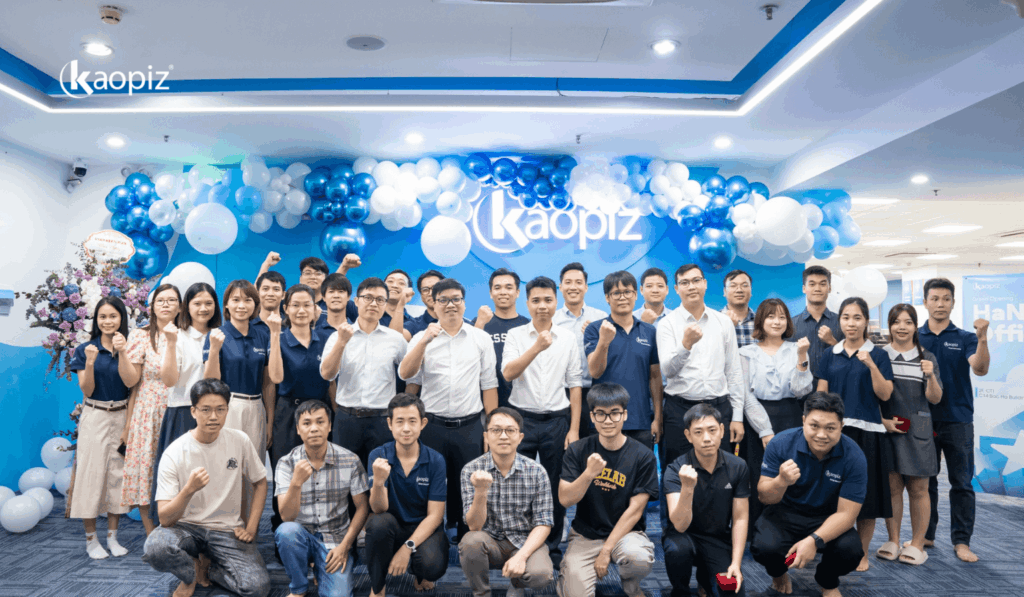
Before a project starts, our architects run discovery and dependency mapping, capture critical business logic as tests, and help shape a business case built on measurable outcomes. This is where most of the 10 challenges above can be removed at the lowest cost.
During delivery, our teams work in phased releases with security controls built into every sprint, so compliance is planned from day one rather than checked at the end. Vietnam’s close time zone to Australia gives your team several hours of overlap each working day for reviews and decisions.
After go-live, we support cloud operations, monitoring and knowledge transfer, so your internal team can run the new platform with confidence instead of inheriting new technical debt.
From our projects: A Japan-based EdTech company ran its tablet learning platform, used by more than 2,000 students and teachers, on a Docker Swarm cluster in an on-premises data center. Scaling was manual, the platform had to stay online for daily classes, and the client required zero changes to the application code. We rebuilt the container cluster on AWS EC2 with auto-scaling and set up CloudWatch monitoring from day one, so the team could see issues before users did. After the move, deployments ran 60% faster, infrastructure costs fell by 25% and manual operations dropped by 40%. The platform now handles 3× traffic spikes at 99.9% uptime.
Ready to find your modernization risks before they reach your budget? Talk to our architects for a free assessment of your current system. You will get a clear list of risks, ranked by impact, and the first steps to fix them.
Conclusion
Application modernization challenges are predictable. Hidden dependencies, lost business logic, data quality debt, compliance gaps and weak adoption all send warning signs long before a budget or timeline breaks.
The teams that succeed in Australia find these risks in discovery, not at cutover. They build the business case on outcomes, keep compliance in scope from day one, and treat AI as a tool inside their controls. Start with the self-check, act on the signs you recognize, and modernize with fewer surprises.
FAQs
- What Are the Biggest Challenges of Application Modernization?
- The biggest challenges are poor visibility into dependencies, lost business logic, data quality debt, compliance and security obligations, and keeping the business running during the change. Most of them can be spotted early. The self-check in this article lists the warning signs for each one and a first action to take.
- Why Do Application Modernization Projects Stall Halfway?
- Most projects stall because hidden problems surface after the budget is already committed. Teams often discover undocumented dependencies and business rules only once work begins, which forces scope changes and delays. A short discovery phase before kickoff brings these problems forward, when they are far cheaper to fix.
- How Does CPS 230 Affect Application Modernization in Australia?
- CPS 230 requires APRA-regulated entities to keep critical operations within tolerance levels, including while systems are being changed. Modernization plans must therefore cover operational resilience during cutover and dual-running. Entities must also manage the risks of material service providers, which includes offshore development and delivery partners.
- Can AI Solve Legacy Modernization Challenges?
- AI speeds up documentation, dependency mapping and code conversion, but it does not remove modernization risk on its own. AI-converted code can carry old bugs or introduce logic errors. Every AI-generated change still needs test baselines, human review and clear rules on which tools can access your code and data.
- How Long Should Discovery Take before Modernizing an Application?
- Discovery typically takes two to four weeks for a single application, based on our project experience. Large estates with mainframes or many integrations need longer. The phase should end with a dependency map, a list of critical business rules and a risk-ranked plan, before the full budget is approved.
Author

Table of Contents
Don’t miss what’s next!
Thank you! Your form has been submitted successfully.