Application Security: How to Protect Outsourced Software
Application security is the practice of finding, fixing and preventing vulnerabilities in software, from the first design decision to the code running in production. In 2026, it has become a board-level issue. Exploited vulnerabilities are now the most common way attackers get in, and nearly half of all breaches involve a third party, often the vendor that built or runs the software.
This guide explains what application security covers, the risks, how each type of security testing works, and the 7 security artifacts you should request from your development partner with every release.
Key Takeaways
- Application security protects an application’s code, design and runtime, while cybersecurity covers the wider network and infrastructure.
- Exploited vulnerabilities are now the top way attackers get in, and 48% of breaches involve a third party.
- OWASP Top 10:2025 adds software supply chain failures and mishandling of exceptional conditions as new risk categories.
- No single test is enough: combine SAST, SCA and secrets scanning on every pull request with DAST and penetration testing before release.
- When you outsource development, agree on who owns each security activity and require evidence, such as an SBOM and scan reports, with every release.
What Is Application Security?
Application security (AppSec) is the set of processes, tools and controls that protect an application from vulnerabilities across its whole lifecycle: design, development, testing, deployment and operation. Its goal is simple: make sure the software does only what it is meant to do, for only the people who are allowed to do it.
Application security protects three layers. The first is the code and business logic, where flaws such as injection or broken access control live. The second is the data the application stores and processes, including customer records, payment details and credentials. The third is the runtime environment, such as APIs, cloud services and containers that the application depends on.
AppSec is a continuous activity, not a single test before go-live. Every new feature, library update and configuration change can introduce a new weakness. That is why mature teams build security checks into each sprint instead of scheduling one audit at the end of a project.
How Is Application Security Different From Cybersecurity?
Application security is one branch of cybersecurity. It focuses on the software itself, while other branches protect the networks, devices and people around it.
| Application security | Network and infrastructure security | Cybersecurity (overall) | |
|---|---|---|---|
| Scope | Code, design, APIs, application data | Networks, servers, endpoints, cloud accounts | All digital assets, people and processes |
| Main owner | Development and product teams | IT operations and infrastructure teams | CISO and security leadership |
| Example controls | Secure coding, SAST, DAST, input validation | Firewalls, VPNs, endpoint protection | Policies, risk management, incident response |
| Example weakness | SQL injection in a login form | Open port on a server | No incident response plan |
The distinction matters because a firewall cannot stop most application attacks. An injection payload or an access-control bypass arrives as a normal, valid web request. Only controls inside the application, and the way it was designed and tested, can catch it.
Why Does Application Security Matter More in 2026?
Application security matters more in 2026 because attackers now break in through software flaws more often than through stolen passwords, and they increasingly reach companies through their vendors. Three trends from the latest industry data explain the shift.
Attackers now come in through the code. The 2026 Verizon Data Breach Investigations Report found that vulnerability exploitation overtook credential abuse as the leading initial access vector for the first time in the report’s 19-year history. Defenders are also falling behind: only 26% of vulnerabilities in CISA’s Known Exploited Vulnerabilities catalog were fully remediated in 2025, and the median time to fix rose from 32 to 43 days.
Your vendors are part of your attack surface. Third-party involvement reached 48% of breaches, a 60% jump in one year. Several of 2025’s largest incidents involved attackers compromising multiple service providers in the same campaign. For any company that outsources development, this means the security of your vendor’s code and pipeline is now your security.
The cost keeps rising. IBM’s 2026 report puts the global average breach cost at a record USD 4.99 million. One in four malicious breaches was AI-enabled, and those cost about USD 6 million on average.
Regional data tells the same story. In Australia, the average self-reported cost of cybercrime for businesses rose 50% to AUD 80,850, and to AUD 202,700 for large businesses. In Singapore, CSA has added mandatory cloud and AI security requirements to its Cyber Essentials and Cyber Trust certifications.
What Are the Biggest Application Security Risks?
The biggest application security risks are the 10 categories in the OWASP Top 10:2025, led by broken access control, security misconfiguration and software supply chain failures.
| Rank | Category | What it means | Typical example | First control to apply |
|---|---|---|---|---|
| A01 | Broken Access Control | Users can act outside their intended permissions | Changing an ID in a URL to view another customer’s invoice | Deny by default; check permissions on the server for every request |
| A02 | Security Misconfiguration | Insecure default or incomplete settings | Public cloud storage bucket or verbose error pages | Hardened, version-controlled configuration |
| A03 | Software Supply Chain Failures | Compromised or vulnerable third-party code, tools or pipelines | A malicious package pulled into a build | SBOM, dependency vetting, signed builds |
| A04 | Cryptographic Failures | Weak or missing protection for sensitive data | Passwords stored with an outdated hash | Modern algorithms, managed keys, TLS everywhere |
| A05 | Injection | Untrusted input is executed as a command or query | SQL injection in a search field | Parameterized queries and input validation |
| A06 | Insecure Design | Missing security controls at the design stage | No limit on password reset attempts | Threat modeling before development |
| A07 | Authentication Failures | Weak identity verification or session handling | Sessions that never expire | MFA and secure session management |
| A08 | Software or Data Integrity Failures | Code or data trusted without verification | Unsigned auto-updates | Code signing and integrity checks |
| A09 | Security Logging and Alerting Failures | Attacks are not recorded or noticed | Failed logins not logged | Centralized logs with alerts |
| A10 | Mishandling of Exceptional Conditions | Errors leave the system in an unsafe state | A failed payment check that “fails open” | Fail safely and handle every error path |
What Are the Main Types of Application Security?
There are 5 main types of application security, defined by where the application runs: web, API, mobile, cloud-native and AI-powered applications. Most enterprise systems combine several of them, so a single product often needs controls from more than one row below.
| Type | Typical risks | Key controls |
|---|---|---|
| Web application security | Injection, cross-site scripting, broken access control | Secure coding, DAST, web application firewall (WAF) |
| API security | Broken object-level authorization, excessive data exposure, missing rate limits | API inventory, strong authentication, schema validation, rate limiting |
| Mobile application security | Insecure local storage, weak certificate validation, reverse engineering | Encrypted storage, certificate pinning, code obfuscation |
| Cloud-native application security | Misconfigured containers, exposed secrets, insecure infrastructure as code | IaC scanning, image scanning, secrets management |
| AI and LLM application security | Prompt injection, sensitive data leakage, unsafe tool use by AI agents | Input and output filtering, least-privilege tool access, human review |
The last row is the fastest-growing area. Applications that call large language models face risks that traditional testing tools do not detect, such as a user tricking a chatbot into revealing internal data. OWASP maintains a separate Top 10 for LLM Applications to cover these risks, and it is a useful checklist for any team adding AI features to an existing product.
Application Security Testing: SAST, DAST, IAST, SCA and Penetration Testing
No single application security testing method finds every vulnerability. Each method looks at the application from a different angle, at a different stage of development, so effective programs combine several of them.
| Method | What it analyzes | Finds best | When it runs | Main limitation |
|---|---|---|---|---|
| SAST (Static Application Security Testing) | Source code, without running it | Injection, hard-coded secrets, unsafe functions | Every pull request | False positives; cannot see runtime behavior |
| SCA (Software Composition Analysis) | Open-source libraries and dependencies | Known CVEs, license issues, outdated packages | Every build | Only finds known vulnerabilities |
| Secrets scanning | Code and commit history | API keys, passwords, tokens committed by mistake | Every commit | Does not assess how secrets are used |
| DAST (Dynamic Application Security Testing) | The running application, from outside | Misconfiguration, authentication and input-handling flaws | Staging, before release | Misses code paths it cannot reach |
| IAST (Interactive Application Security Testing) | The running application, from inside, via agents | Confirmed vulnerabilities with exact code location | During automated and QA testing | Needs instrumentation; language support varies |
| Penetration testing | The whole application, by human experts | Business logic flaws, chained attacks, access-control bypass | Before major releases, at least yearly | Point-in-time; costly to run often |
| RASP (Runtime Application Self-Protection) | Live traffic inside the application | Active attacks in production | Continuously in production | Protects, but does not fix the root cause |
If part of your testing is handled by an external team, make sure security testing is written into its scope. Many QA outsourcing contracts cover functional and performance testing only, which leaves security as an unowned gap.
Which Security Tests Should Run at Each Stage of the SDLC?
Security tests should be placed where they are cheapest to act on: fast automated checks early, deeper and slower tests just before release. This approach is often called shift-left security or DevSecOps.
| SDLC stage | Security activity | Frequency |
|---|---|---|
| Requirements | Define security requirements and data classification | Every new project or major feature |
| Design | Threat modeling and architecture review | Every new feature with sensitive data or new integrations |
| Code and pull request | SAST, secrets scanning, peer code review | Every pull request |
| Build | SCA, SBOM generation, container image scanning | Every build |
| Staging | DAST and IAST during automated tests | Every release candidate |
| Release | Penetration test and security sign-off | Major releases and at least once a year |
| Production | Logging, alerting, RASP or WAF, vulnerability monitoring | Continuously |
Who Owns Application Security When You Outsource Development?
When you outsource development, your vendor performs most application security activities, but you remain accountable to your customers and regulators for the result. That gap is where most problems start. If the contract only says the vendor will “follow security best practices,” nobody knows who writes the threat model, who approves a new library or who decides that a vulnerability is acceptable for release.
The fix is to assign each activity in writing before development begins. The table below shows the split we recommend for a typical outsourced product team.
| Activity | Client | Vendor | Evidence to agree on |
|---|---|---|---|
| Security requirements and data classification | Owns | Contributes | Signed-off requirements document |
| Threat modeling | Reviews and approves | Leads | Threat model per major feature |
| Secure coding standard | Approves | Owns and trains the team | Written standard and training records |
| Code review | Spot-checks | Owns (every merge) | Pull request history |
| SAST, SCA and secrets scanning in CI/CD | Defines thresholds | Runs and fixes findings | Scan reports per release |
| Approval of new third-party libraries | Approves high-risk changes | Proposes and assesses | SBOM and dependency log |
| DAST and penetration testing | Commissions independent tests | Supports and remediates | Test summary and fix status |
| Vulnerability fix timelines | Sets SLA | Meets SLA | Open vulnerability list with due dates |
| Release sign-off | Owns the final decision | Recommends | Release security checklist |
| Production monitoring and incident response | Owns or shares | Detects and reports | Joint incident playbook |
This split covers the application itself. Operational controls, such as managed devices, network access and offboarding, are just as important for an offshore team security.
How Does AI-Generated Code Change the Risk?
AI coding assistants make development faster, but they do not make code more secure. Veracode’s 2026 GenAI Code Security Report tested more than 100 models and found an average security pass rate of about 56%. In other words, roughly 44% of code-generation tasks produced code with a detectable OWASP Top 10 vulnerability, even though almost all of it compiled correctly. Models built specifically for coding performed no better than general-purpose ones.
This matters for outsourcing because your vendor’s speed may come partly from AI. If code volume grows faster than review capacity, security debt grows with it. Veracode’s 2026 State of Software Security report found that 82% of organizations already carry security debt.
Three contract terms keep this risk under control. First, the vendor discloses which AI tools it uses and how they handle your code. Second, AI-generated code passes through exactly the same review, SAST and SCA gates as human-written code. Third, your source code and data are never sent to AI tools you have not approved.
What Security Evidence Should You Request With Every Release?
Ask for evidence, not assurances. These 7 artifacts give you a clear view of your application’s security posture at each release, and they take a mature vendor little extra effort to produce.
| Artifact | What it proves | Red flag |
|---|---|---|
| 1. Updated threat model | New features were assessed for abuse before coding | No threat model, or one that has not changed in months |
| 2. SAST report | Code was scanned and findings were triaged | Only a pass/fail badge, no findings list |
| 3. SCA report and SBOM (SPDX or CycloneDX) | You know every component in the build | Vendor cannot list the libraries in your product |
| 4. Secrets scan result | No credentials are hidden in the code | Secrets found and “to be removed later” |
| 5. DAST or penetration test summary | The running application was tested like an attacker would test it | Testing done only on the vendor’s own environment |
| 6. Open vulnerability list with fix dates | Known risks are tracked, not hidden | Critical issues open beyond the agreed SLA |
| 7. Note on AI-assisted changes | AI-generated code went through the same gates | “We don’t track that” |
Pair this list with a fix SLA based on severity. A common starting point is 7 days for critical issues and 30 days for high-severity issues, adjusted to your risk profile and regulatory requirements.
10 Application Security Best Practices for 2026
The most effective application security best practices are the ones built into everyday development work, not added as a final audit.
- Define security requirements before writing code: Plan, build and test them like any other feature. The OWASP ASVS offers a ready-made list you can select by risk level.
- Threat model every new feature: Ask how it could be abused before it is built. A 30-minute design session prevents insecure design, which is costly to fix later.
- Enforce deny-by-default access control: Check permissions on the server for every request. Add automated authorization tests, since one missed endpoint is enough for broken access control.
- Scan every pull request with SAST and secrets detection: Block merges on critical findings. Developers fix issues fastest when feedback arrives minutes after coding, not weeks later.
- Maintain an SBOM and vet every dependency: Generate an SBOM on every build and review new libraries before use. This is the most direct defense against supply chain failures.
- Treat infrastructure as code as application code: Version, review and scan cloud and container settings. Most misconfigurations come from manual changes nobody reviewed.
- Handle errors and exceptions safely: Make every error path fail closed and show users generic messages. This addresses the new A10 category, mishandling of exceptional conditions.
- Log security events and alert on them: Centralize logins, permission changes and failed access attempts. Logs nobody reviews are not monitoring, which is why A09 now includes alerting.
- Set vulnerability fix SLAs and track security debt: Agree on fix deadlines per severity and keep open issues in a visible backlog, so they are not pushed aside by new features.
- Test before release and after every major change: Run DAST on every release candidate and an independent penetration test at least yearly. Outside testers catch logic flaws the original team misses.
How Kaopiz Builds Secure Applications for Enterprise Clients
At Kaopiz, application security is part of how we plan and deliver every project, agreed with each client before the first sprint. Founded in 2014, we have nearly 1,000 staff across Vietnam, Japan and Singapore, and we build software for enterprise clients in Singapore and Australia.
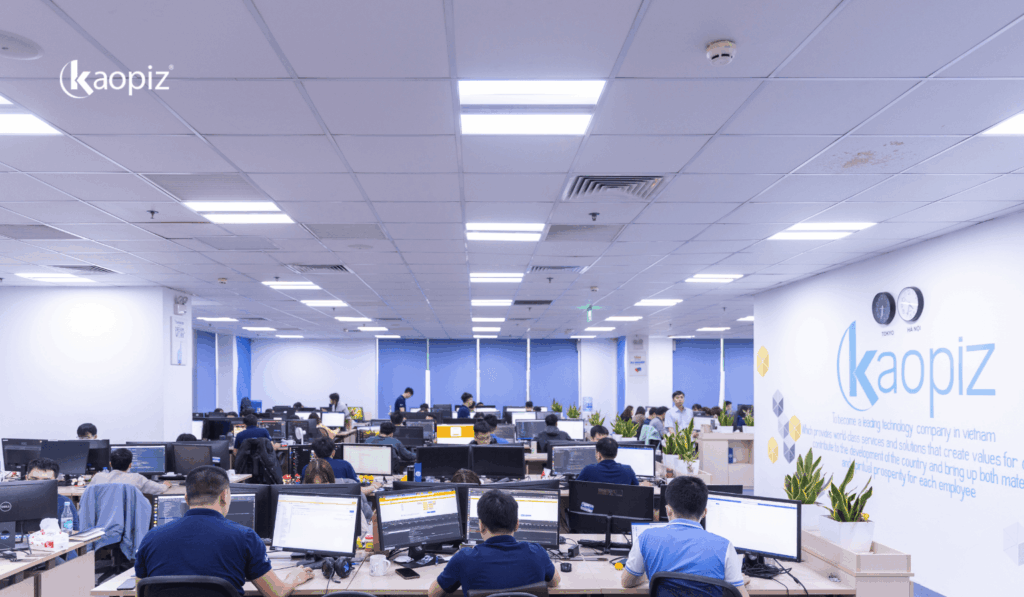
Our delivery process is certified to ISO 27001 for information security management and ISO 9001 for quality management. In practice, that means:
- Security checks in the pipeline: static analysis on every pull request, dependency and secrets scanning, and dynamic testing on staging, with at least one peer review per merge.
- Clear ownership from day one: security responsibilities are mapped to the client’s own policies and written into the engagement.
- Client-controlled environments where required: sensitive data stays inside the client’s systems.
- Project-based access: permissions are granted per project and removed on an engineer’s last working day.
This approach has been shaped by more than a decade of work and over 500 software projects for companies such as Sony, Toyota and Daiso. It is also why many clients choose Kaopiz as an IT outsourcing partner in Singapore for systems that handle sensitive customer data.
If you are planning a new application or want a second opinion on the security of an existing one, talk to our team about how we would build security into your next release.
Conclusion
Application security in 2026 comes down to three decisions. Treat software flaws and third parties as your main sources of risk, because that is where attackers now enter. Combine automated and manual testing at the right stages of the SDLC, using the OWASP Top 10:2025 as your baseline. And when someone else writes your code, agree on who owns each security activity and ask for evidence with every release.
FAQs
- What Are the 3 Main Types of Application Security Testing?
- The 3 main types of application security testing are SAST, DAST and IAST. SAST scans source code without running it, DAST tests the running application from the outside, and IAST monitors the application from the inside during testing. Most teams add SCA to check open-source dependencies and penetration testing to find business logic flaws.
- Is Application Security Part of Cybersecurity?
- Yes, application security is a branch of cybersecurity. Cybersecurity covers all digital assets, including networks, devices and people, while application security focuses on the software itself: its design, code, APIs and the data it processes.
- How Often Should You Test Application Security?
- Run SAST, SCA and secrets scanning on every pull request or build, and DAST on every release candidate. Commission an independent penetration test before major releases and at least once a year. Regulated industries may require more frequent testing.
- What Is the Difference Between Application Security and API Security?
- API security is a part of application security. It focuses on the interfaces that applications use to exchange data, where common risks include broken object-level authorization, excessive data exposure and missing rate limits.
- Who Is Responsible for Application Security in an Outsourced Project?
- Responsibility is shared and should be defined in the contract. The vendor usually leads secure coding, code review and automated scanning, while the client sets requirements, approves risk decisions and commissions independent testing. The client remains accountable to customers and regulators for any breach.
Author

Table of Contents
Don’t miss what’s next!
Thank you! Your form has been submitted successfully.