















Copilot vs ChatGPT: Which AI Tool Is Right for Businesses
Artificial intelligence is rapidly becoming a core productivity layer for businesses in Singapore, not just an experimental tool. As teams look to automate tasks, improve decision-making, and reduce operational costs, two names dominate the conversation: Copilot and ChatGPT. While both are powered by advanced large language models, they are built with very different philosophies and business use cases in mind.
This difference has created a common challenge for decision makers, IT leaders, and business owners: Which AI tool actually fits our workflows, compliance requirements, and long-term growth strategy? Choosing the wrong tool can lead to low adoption, hidden costs, or security risks—especially in a market like Singapore, where productivity expectations and data protection standards are high.
In this guide, we compare Copilot vs ChatGPT from a business-first perspective, focusing on real-world use cases, cost-benefit considerations, PDPA compliance, and scalability. Rather than declaring a single “winner,” the goal is to help you understand which tool is right for your business—and when a more tailored AI approach may be the better option.
TL;DR
Table of Contents
- Copilot vs ChatGPT: Core Philosophical Differences
- Copilot vs ChatGPT: Feature Battle
- Cost-Benefit Analysis: Pricing in SG Dollars (2026 Updated)
- ChatGPT vs Copilot: The Security Factor
- Productivity Use Cases: From Coding to Consulting
- Final Verdict: Which AI Tool Should You Choose?
- How Kaopiz Helps Singapore Businesses Apply AI Effectively
- Conclusion
- FAQs
Copilot vs ChatGPT: Core Philosophical Differences
ChatGPT vs Copilot are AI tools built on large language models, but they are designed with different usage philosophies.
Copilot is an embedded AI assistant. It works directly inside applications such as Microsoft Word, Excel, Outlook, Teams, and developer IDEs, helping users complete tasks faster without leaving their existing tools. Its strength lies in context-aware productivity, especially for teams already operating within the Microsoft ecosystem.
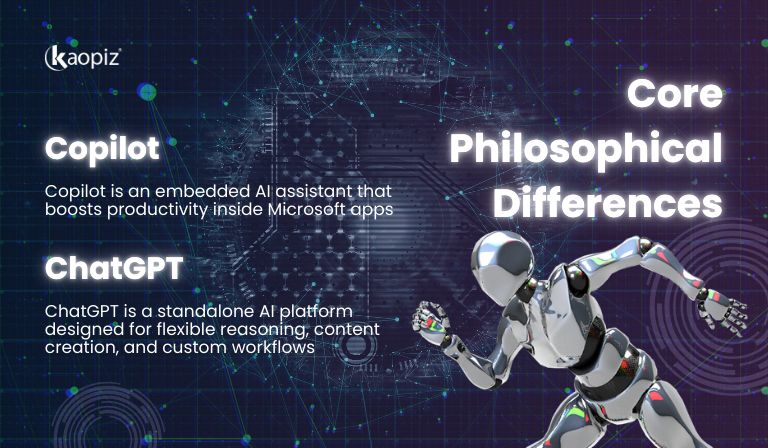
ChatGPT, on the other hand, is a standalone AI reasoning platform developed by OpenAI. It is designed for flexibility—supporting content creation, analysis, problem-solving, and custom workflows across many industries and roles. With support for advanced reasoning models and APIs, ChatGPT is often used beyond productivity apps, including research, strategy, automation, and product development.
Microsoft Copilot: The “In-App” Specialist
For business managers, operations teams, finance, and administrative roles, Copilot focuses on augmenting day-to-day work without changing how teams operate.
- Deep integration with Word, Excel, and Teams: AI assistance appears directly inside familiar Microsoft 365 applications.
- Powered by Microsoft Graph: Copilot can reference emails, calendars, documents, and meetings to provide context-aware responses.
- Minimal change management: Teams already using Microsoft 365 can adopt Copilot with little training or workflow disruption.
This in-app approach makes Copilot especially effective for organizations that prioritize productivity gains, fast adoption, and controlled AI usage within an established ecosystem.
ChatGPT: The “Thinker’s” Swiss Army Knife
For consultants, analysts, product teams, and strategy roles, ChatGPT is best understood as a standalone reasoning platform—a flexible tool you can apply across many tasks, even when you are not working inside a single ecosystem. Instead of optimizing for one “in-app” workflow, this AI tool is built to help users think, synthesize, and create across contexts.
- Custom GPTs for role-specific tasks: Create tailored assistants for recurring work such as market research, requirement drafting, customer support scripting, or proposal writing.
- Advanced Voice Mode for hands-free workflows: Use voice interactions to brainstorm, summarize meetings, or iterate on ideas while multitasking—useful for fast-paced consulting or leadership roles.
- New o1 reasoning models for complex problem-solving: Better suited for structured thinking tasks such as scenario planning, root-cause analysis, and multi-step decision support where reasoning quality matters.
This “Swiss Army Knife” nature makes ChatGPT a strong fit when your work demands versatility, deeper reasoning, and cross-functional outputs—especially for teams that need a single AI tool to support multiple workflows beyond productivity apps.
Copilot vs ChatGPT: Feature Battle
For business leaders and IT decision makers, the difference between Copilot vs ChatGPT is less about how advanced the AI sounds and more about how safely, predictably, and effectively it fits into daily operations. The comparison below focuses only on decision-critical features that impact adoption, governance, and scalability—not marketing claims.
| Criteria | Microsoft Copilot | ChatGPT |
|---|---|---|
| LLM | GPT-4o (Microsoft-hosted) | GPT-4o + o1 reasoning models |
| Internet Access | Limited / more controlled (varies by product & policy) | Available when browsing is enabled |
| Data Privacy (Enterprise Grade) | Strong enterprise controls within Microsoft ecosystem (e.g., commercial data protection in eligible plans) | Enterprise-grade options available, but requires choosing the right plan and governance setup |
| Image Generation | Limited or not native (depends on Copilot variant) | Native image generation capability available |
| API Availability | Typically no general-purpose public API for custom workflows | Yes (API available for custom integrations and automation) |
Key takeaway for decision makers:
- Copilot favors control, compliance, and seamless productivity within an established Microsoft ecosystem.
- ChatGPT favors versatility, deeper reasoning, and the ability to build custom AI workflows across multiple tools and platforms.
For Singapore organizations—especially those balancing PDPA compliance, operational efficiency, and future scalability—this feature-level distinction often determines whether an AI tool becomes a trusted assistant or a long-term limitation.
Cost-Benefit Analysis: Pricing in SG Dollars (2026 Updated)
When comparing Copilot vs ChatGPT, pricing must be evaluated in terms of value delivered per workflow, not just monthly subscription fees. Although both tools appear similarly priced at first glance, they follow very different cost structures—especially once you factor in productivity software, training, and scalability for Singapore businesses.
Individual / Pro Plans
At the individual or power-user level, the cost gap between Copilot Pro vs ChatGPT Plus is more visible than it initially seems.
- Microsoft Copilot (via Microsoft 365 Personal / Family): Microsoft now bundles Copilot into individual Microsoft 365 plans, which typically start at around USD 9.99/month, translating to approximately SGD 13–15/month (before GST). The value here comes from AI-enhanced Office tools—Word, Excel, PowerPoint, Outlook—rather than standalone AI capability.
- ChatGPT Plus: ChatGPT Plus remains priced at USD 20/month, or roughly SGD 27–30/month depending on exchange rates and local taxes. This subscription focuses entirely on access to advanced AI models and features, including stronger reasoning and faster updates, without bundling productivity software.
Cost–benefit insight: Considering pricing, Copilot offers lower entry cost if your work already revolves around Microsoft 365, while ChatGPT Plus commands a higher price in exchange for greater AI versatility and reasoning power.
Enterprise Licensing for Singapore SMEs
For SMEs and mid-sized enterprises in Singapore, pricing becomes less about list price and more about total cost of ownership.

- Bulk licensing and predictability: Copilot is often licensed through Microsoft business or enterprise agreements, providing predictable per-user costs but tying AI adoption closely to the Microsoft ecosystem.
ChatGPT Business or Enterprise plans offer more flexibility but typically require clearer internal controls on usage and access.
- Hidden costs that affect ROI
- Prompt engineering and AI literacy training for staff
- Governance and compliance setup, particularly for PDPA-sensitive data
- Integration costs if AI needs to connect with internal systems, documents, or workflows
Cost–benefit insight: For Singapore SMEs, the largest AI expense is rarely the subscription fee itself. The real investment lies in training, governance, and integration, which ultimately determines whether Copilot or ChatGPT delivers sustained productivity gains—or becomes an underutilized tool.
ChatGPT vs Copilot: The Security Factor
For Singapore businesses, AI adoption is inseparable from data protection and regulatory accountability. Under the Personal Data Protection Act (PDPA), organizations remain fully responsible for how personal and business data is collected, processed, stored, and transferred—even when AI tools are involved. As a result, security and data governance often become the deciding factor when choosing between Copilot and ChatGPT.
Singaporean firms often favor Microsoft Copilot because its built-in Commercial Data Protection aligns more closely with PDPA requirements, reducing compliance risk by default.
Why Copilot Appeals to PDPA-conscious Organizations
Microsoft positions Copilot as an enterprise-grade AI assistant designed for regulated environments. This approach resonates strongly with Singapore companies, especially in finance, healthcare, professional services, and government-linked sectors.
Key security characteristics include:
- Commercial Data Protection by default: Data processed through Copilot in business contexts is not used to train public AI models, helping organizations maintain control over sensitive information.
- Integration with Microsoft 365 security controls: Identity management, access permissions, audit logs, and compliance policies already in place within Microsoft 365 extend naturally to Copilot usage.
- Clear data handling and accountability: For many firms, this clarity simplifies PDPA compliance by reducing ambiguity around data usage, retention, and access.
Because Copilot operates inside a familiar enterprise ecosystem, it lowers the risk of accidental data exposure caused by ad-hoc AI usage across teams.
ChatGPT and PDPA: Flexible, But Governance-dependent
Organizations can deploy ChatGPT securely, especially through business or enterprise plans, but they must actively manage governance and architecture to ensure compliance.

- Strong privacy controls are available, but not always enabled by default
- API-based and custom workflows increase flexibility—but also increase responsibility
- Without clear policies, teams may unintentionally share sensitive data
For Singapore organizations with mature IT governance, this flexibility can be an advantage. For others, it introduces additional compliance overhead.
What This Means for Singapore Businesses
The security decision is less about which tool is “more secure” and more about which model best matches your organization’s risk tolerance and governance maturity:
- Choose Copilot if your priority is built-in compliance and minimal PDPA exposure
- Choose ChatGPT if you require advanced customization and are prepared to implement strict data controls
For many organizations, tool selection is only the first step. The real challenge lies in integrating AI securely into existing systems while staying PDPA-compliant.
Kaopiz helps Singapore businesses design and implement secure AI solutions, from governance frameworks and data boundaries to custom AI integrations aligned with regulatory requirements. If you’re evaluating Copilot, ChatGPT, or a hybrid approach, our team can help ensure your AI strategy delivers productivity gains without compromising data security or compliance.
Productivity Use Cases: From Coding to Consulting
AI use cases deliver the most value when applied to specific roles and workflows, not treated as a one-size-fits-all solution. Below, we compare how Copilot and ChatGPT perform across two common productivity scenarios—software development and marketing/content work—where the differences between embedded assistance and flexible reasoning become especially clear.
For Software Developers (GitHub Copilot vs. ChatGPT o1)
Development teams measure productivity by how quickly and reliably they move code from idea to production. In this context, ChatGPT vs GitHub Copilot serve complementary but distinct purposes.

- GitHub Copilot: Copilot excels at in-the-moment coding assistance. Integrated directly into IDEs, it helps developers write boilerplate faster, complete functions, and reduce context switching. This makes it particularly effective for day-to-day implementation work and incremental improvements.
- ChatGPT o1: ChatGPT’s o1 reasoning models are better suited for higher-level thinking. Developers often use it to reason through system architecture, debug complex logic, review code for edge cases, or explain unfamiliar codebases. It shines when the problem requires structured analysis rather than speed.
Use case insight: Teams that ship code fastest often combine both tools—using Copilot to accelerate implementation and ChatGPT o1 to support design, problem-solving, and technical decision-making.
For Marketing & Content Teams (Creativity vs. Templates)
In marketing and content workflows, the trade-off is between consistency and creative flexibility.
- Copilot for Marketing & Content: Copilot works well for structured, repeatable tasks such as drafting emails, refining reports, or creating presentations directly inside Word, Outlook, or PowerPoint. It supports teams that value brand consistency, templates, and predictable outputs.
- ChatGPT for Marketing & Content: ChatGPT is more effective for ideation-driven work—brainstorming campaign concepts, developing narratives, adapting tone for different audiences, or exploring multiple creative directions quickly. Its flexibility makes it useful when originality and experimentation matter most.
Use case insight: For organizations with established brand guidelines, Copilot helps scale content efficiently. For teams focused on growth, storytelling, or experimentation, ChatGPT offers greater creative freedom.
Final Verdict: Which AI Tool Should You Choose?
Then ChatGPT or Copilot—which is better? There is no single “better” AI tool for every organization. The right choice depends on how your teams work today, how tightly AI must integrate with existing systems, and how much flexibility you need as your business scales.
Copilot is best for organizations that prioritize embedded productivity and built-in compliance, while ChatGPT is better suited for teams that need flexible reasoning, creativity, and custom AI workflows.
Choose Copilot if:
- Your teams work primarily within Microsoft 365 (Word, Excel, Outlook, Teams)
- You want fast adoption with minimal change management
- PDPA compliance and enterprise data protection are top priorities
Then, Choose ChatGPT if:
- Your teams require advanced reasoning, analysis, or creative outputs
- You need custom workflows, automation, or API access
- You are prepared to implement governance and usage controls
Consider a hybrid or custom AI approach if:
- Different teams have different productivity needs
- You want to combine in-app efficiency with flexible AI reasoning
- Security, scalability, and long-term ROI are strategic concerns
Key takeaway: For many Singapore organizations, the most effective strategy is not choosing between Copilot or ChatGPT, but understanding where each tool delivers the most value. When aligned correctly with workflows and compliance requirements, AI becomes a sustainable productivity advantage rather than a short-term experiment.
How Kaopiz Helps Singapore Businesses Apply AI Effectively
As a leading AI development company in Singapore, Kaopiz helps organizations move beyond tool selection by designing and implementing AI solutions that fit their workflows, compliance requirements, and long-term growth plans.
Kaopiz works as a neutral AI consulting and delivery partner, supporting companies at every stage of AI adoption:
- AI strategy & use-case assessment: We help identify where Copilot, ChatGPT, or a hybrid approach delivers the highest ROI—based on your teams, processes, and business goals.
- Secure AI integration: Our engineers integrate AI into existing systems, applications, and data pipelines while ensuring PDPA-aligned data handling, access control, and governance.
- Custom AI development services: When off-the-shelf tools are not enough, we build tailored AI solutions—such as internal copilots, AI-powered automation, or decision-support systems—designed for enterprise scalability.
- Enterprise delivery & change enablement: Beyond technology, we support adoption with clear workflows, documentation, and best practices so teams can use AI confidently and consistently.
Singapore organizations operate in a high-expectation environment—where productivity, compliance, and scalability must coexist. Kaopiz bridges the gap between AI potential and operational reality, helping businesses apply AI in a way that is:
- Practical, not experimental
- Secure, not risky
- Scalable, not siloed
If you are evaluating Copilot, ChatGPT, or a combination of both, Kaopiz can help you design the right AI approach and implement it effectively—so AI becomes a long-term advantage, not just another tool.
Conclusion
Choosing between Copilot vs ChatGPT is ultimately a business decision, not a technology contest. Both tools are powered by advanced AI models, but they are designed to solve different problems. Copilot delivers immediate productivity gains by embedding AI directly into familiar Microsoft applications, while ChatGPT provides broader reasoning, creativity, and flexibility across workflows.
For Singapore businesses, the right choice depends on how your teams work, how sensitive your data is, and how you plan to scale AI adoption. In many cases, the most effective approach is not choosing one tool over the other, but using each where it performs best—or going beyond off-the-shelf tools with a tailored AI solution. When businesses align AI with real workflows and compliance requirements, they turn it into a long-term productivity advantage—not a short-term experiment.
FAQs
- Which Is Better for Coding — ChatGPT or Copilot?
- Neither tool is universally better for coding; they serve different purposes. GitHub Copilot is more effective for writing code faster inside IDEs, handling boilerplate, and reducing context switching. ChatGPT, especially with advanced reasoning models, is better for architecture design, debugging complex issues, and explaining unfamiliar code. Many development teams use both together for maximum productivity.
- Does Copilot use GPT-4?
- Yes. Microsoft Copilot is powered by OpenAI’s GPT-4–class models, hosted and governed within Microsoft’s infrastructure. The exact model version may vary by Copilot product and update cycle, but enterprise controls and commercial data protection are applied in business contexts.
- Is ChatGPT Secure for Business Use?
- ChatGPT can be secure for business use, particularly with Business or Enterprise plans, but security depends on proper configuration and governance. Organizations must define clear policies around data usage, access control, and integration to ensure compliance with regulations such as Singapore’s PDPA.
- Can Companies Use Both Copilot and ChatGPT?
- Yes. Many organizations adopt a hybrid approach, using Copilot for embedded productivity within Microsoft 365 and ChatGPT for analysis, creativity, and custom workflows. This allows teams to benefit from both in-app efficiency and flexible AI reasoning.
- When Do Businesses Need Custom AI Development?
- Businesses typically need custom AI development when off-the-shelf tools are not enough—such as when AI must integrate with internal systems, handle sensitive data securely, support unique workflows, or scale across departments. In these cases, a tailored AI solution provides greater control, compliance, and long-term ROI.
Trending Post



No Comments yet!