
Build vs. Buy Software: How to Make the Right Decision for Your Business (2026 Guide)
Your team needs a new platform. The off-the-shelf options cover maybe 70% of what you need, the rest is workarounds. Building something custom feels risky: expensive, slow, and dependent on the right people staying around. Sound familiar?
Both paths carry real consequences. Only 31% of custom software projects are deemed truly successful, delivered on time, within budget, and meeting expectations, according to the Standish Group. On the other side, Zylo’s 2026 SaaS Management Index found that on average, 46% of SaaS licenses go unused each month, representing nearly $19.8M in wasted spend per organization annually. The risk isn’t in choosing to build or to buy, it’s in choosing without a clear framework.
I’ve helped companies across fintech, edtech, and healthtech navigate this exact decision at Kaopiz. Some needed to build. Others came in convinced they did, and I pointed them toward a SaaS tool they could ship in two weeks. The right answer is never universal, but the way to find it is.
This guide gives you a practical decision framework, a real cost comparison between buy vs build software, and a third option most articles skip entirely: outsourced development as a way to build without the in-house overhead.
Key Takeaways
- Build when the software is core to your competitive advantage, you need full data control, or SaaS costs will compound unsustainably at your scale
- Buy when a proven solution covers 80%+ of your needs, the function isn’t a differentiator, or your timeline doesn’t allow a 3–9 month build
- Outsource-build when building is the right answer but you don’t have, or don’t want, a permanent in-house engineering team
- The real comparison isn’t year-one price. It’s five-year total cost of ownership
- Most companies end up with a hybrid: buy commodity tools, build the competitive layer
What Does “Build vs. Buy Software” Actually Mean in 2026?
Before comparing costs or listing pros and cons, it’s worth clarifying what each option actually involves, because both terms are broader than most people assume.
Defining “Build”: Three Forms It Can Take
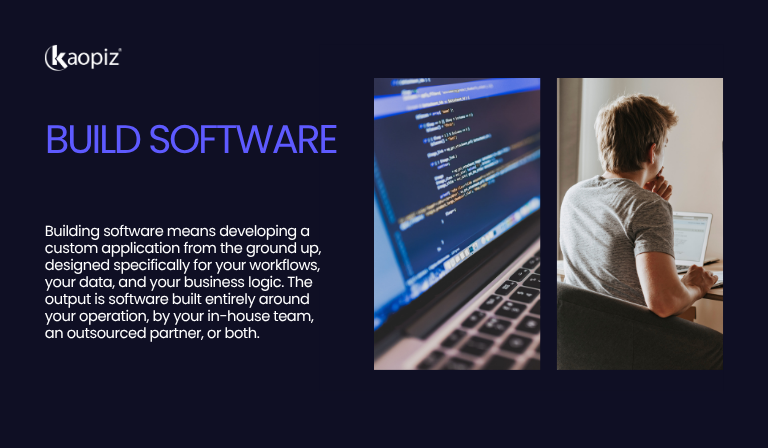
Build software means developing a custom application from the ground up, designed specifically for your workflows, your data, and your business logic. The output is software that no one else has, built either by your in-house team, an outsourced development partner, or a combination of both.
“Building” software doesn’t only mean hiring a team of engineers and starting from a blank repository. In practice, it takes three forms:
- In-house development is the traditional model: your own engineers design, build, and maintain the software on your infrastructure. You have maximum control and full IP ownership, but also full responsibility for hiring, retention, and long-term maintenance.
- Outsourced custom development, through a dedicated development team, an Offshore Development Center (ODC), or a fixed-price project with an external partner, gives you a custom-built product without requiring a permanent in-house team. The output is still software built specifically for your workflows; the difference is who builds it and how it’s staffed. This is where many companies discover they have more options than they initially thought.
- Low-code or no-code with custom extensions sits in the middle: platforms like OutSystems or Microsoft Power Apps let non-engineers build functional applications, which developers can then extend with custom logic. This works well for internal tools and workflow automation, less so for complex, transaction-heavy products.
Defining “Buy”: More Than just SaaS
Buy software means adopting an existing, ready-made solution, typically a SaaS subscription or off-the-shelf product, built by a vendor to serve a broad market. You configure it to fit your needs, but the core product is shared with thousands of other companies.
“Buying” software is equally varied:
- SaaS subscriptions (Salesforce, HubSpot, Jira) are the most common form, cloud-hosted, subscription-billed, maintained entirely by the vendor. Fast to deploy, easy to cancel, but per-seat costs compound quickly at scale.
- Off-the-shelf perpetual licenses are less common today but still relevant in certain industries, you pay once, own the software, and run it on your own infrastructure. Lower recurring cost, higher setup and maintenance burden.
- Open-source with a vendor support layer is a hybrid buying model: the core software is free, but you pay a vendor for hosting, security patches, and support (think Elastic or Confluent). Lower upfront cost than custom build, more flexibility than SaaS, but requires technical capability to evaluate and manage.
The Third Path Most Companies Overlook: Buy Core, Build Around It
The cleanest division, build everything or buy everything, rarely reflects how software decisions actually play out. The most common approach for growing companies is a hybrid model: purchase a proven, well-maintained core (the CRM, the payment layer, the compliance engine), then build the integrations, automations, and workflows that connect it to how your business actually operates.
This matters because it changes how you evaluate the decision. The question isn’t always “build software or buy?”, it’s often “which parts are worth building, and which parts already exist well enough to buy?”
Key takeaways:
| Build | Buy | Build + Buy (hybrid) | |
|---|---|---|---|
| Control | Full | Limited | Partial — on the parts you build |
| Time to first use | Months | Days to weeks | Weeks to months |
| Best for | Core differentiating product | Non-core operations | Scale-ups with mixed needs |
| Ongoing cost | Dev team + maintenance | Subscription fees | Both, but contained |
Build vs. Buy Software: Pros and Cons Side by Side
No list of pros and cons will make this decision for you, context matters too much. But understanding where each option genuinely delivers and where it creates problems is the foundation of any good evaluation. What follows is an honest breakdown, including the downsides that most vendor-written articles quietly skip.
| Build (custom) | Buy (SaaS/off-the-shelf) | |
|---|---|---|
| Time to first use | 3–9+ months | Days to weeks |
| Year 1 cost | Higher | Lower |
| Year 5 cost | Often lower | Often higher (per-seat scaling) |
| Workflow fit | Exact | Partial (70–80% typical) |
| Data ownership | Full | Vendor-dependent |
| Maintenance burden | Yours | Vendor’s |
| Competitive differentiation | High | Low (shared with competitors) |
| Switching cost | Medium | High once embedded |
Pros and Cons of Building Custom Software
Building custom software means investing in something designed entirely around how your business operates, not how a vendor assumes most businesses operate. That specificity is both its greatest strength and the source of its most common failure modes.
- Pros of building custom software
| Advantage | Why it matters |
|---|---|
| Competitive differentiation | Software built for your exact workflows — competitors can’t replicate it |
| Full roadmap control | No vendor dependency, no feature-tier limitations |
| Better TCO at scale | Flat infrastructure cost vs. compounding per-seat fees after year 3 |
| Full data ownership | Control over where data lives and how it moves |
- Cons of building custom software
| Risk | What it looks like in practice |
|---|---|
| High year-one cost | Almost always more expensive upfront than an equivalent SaaS tool |
| 3–9 month lead time | Nothing in production until the build is complete |
| Scope creep | Without disciplined spec management, timelines and budgets slip |
| Ongoing maintenance | Budget ~15–20% of build cost annually after launch |
| Team dependency | Knowledge loss when key engineers leave; mitigated by good documentation or a long-term outsourcing partner |
Pros and Cons of Buying Off-the-Shelf Software
Buying off-the-shelf software means trading customization for speed, you get a proven, maintained product in days, but you adapt your workflows to fit the tool, not the other way around. That trade-off works well until it doesn’t.
- Pros of buying off-the-shelf software
| Advantage | Why it matters |
|---|---|
| Fast deployment | Live in days, not months — no development lead time |
| Lower year-one cost | No upfront development investment; predictable subscription fees |
| Vendor handles maintenance | Security updates, compliance, and uptime are the vendor’s responsibility |
| Low initial commitment | Start small, validate fit, scale up or cancel without sunk cost |
These benefits make buying the right default for non-core functions, HR, accounting, project management, basic CRM. The problems tend to surface later, as your needs grow more specific.
- Cons of buying off-the-shelf software
| Risk | What it looks like in practice |
|---|---|
| The 70% fit problem | Tools cover most needs well — the remaining 30% becomes costly workarounds |
| Vendor lock-in | Switching costs compound: data migration, retraining, integration rewiring |
| Per-seat pricing scales against you | Bill grows linearly with headcount; 5–10% annual price hikes are now standard |
| Limited data control | Portability and storage depend entirely on vendor policy |
| Roadmap dependency | Features you need may never ship, or only arrive behind a higher-tier paywall |
The Real Cost of Build vs. Buy: A TCO Comparison
Most build vs. buy discussions start and end with year-one price tags. That framing consistently misleads. The SaaS option looks cheaper because its costs are distributed, monthly fees, annual renewals, per-seat scaling, while the build option front-loads everything into a visible upfront number. A build vs buy software comparison requires a five-year lens.
What TCO Actually Includes
Most companies undercount costs on both sides. The true total cost of SaaS ownership typically runs 2.5x to 4x higher than the headline subscription price, once you factor in implementation, integrations, customization fees, and per-seat scaling. Custom builds have their own blind spots: the initial development quote rarely accounts for what comes after go-live.
A complete TCO model for each path looks like this:
| Cost component | Build (custom) | Buy (SaaS) |
|---|---|---|
| Initial investment | Development cost: $50K–$500K+ depending on scope | Implementation + onboarding: $5K–$50K |
| Ongoing maintenance | ~15–20% of build cost per year | Included in subscription — but subscription rises |
| Per-user scaling | None — flat infrastructure cost | Linear: every new seat adds to the bill |
| Integration work | One-time build cost | Recurring — each new tool in your stack may need custom connectors |
| Vendor price increases | Not applicable | 5–10% annually is now standard; some vendors raised fees 300%+ post-acquisition in 2025 |
| Migration cost | Medium — documented codebase you own | High — data extraction, retraining, integration rewiring |
How the Numbers Move Over Five Years
In year one, buying almost always looks cheaper. A SaaS tool that costs $2,000/month requires no upfront development investment. A custom build of equivalent scope might cost $150,000–$300,000 before anything goes live. On a spreadsheet, the comparison isn’t close.
By year three, the lines converge. Custom software typically becomes cheaper between years two and four. Break-even happens faster with 20 or more users, multiple SaaS tools, or annual price increases above 10%. The SaaS bill has grown with your headcount and absorbed two or three annual price increases. The custom build’s costs have flattened, maintenance is predictable, and there are no per-seat surprises.
By year five, the gap often reverses. A five-year custom software TCO of around $250,000 compares favorably to a projected SaaS TCO of over $315,000 for equivalent functionality, and that gap widens further as team size grows. The compounding effect of per-seat fees is the variable most companies fail to model at purchase time.
This is what the curve looks like across a typical mid-market scenario:
| Year 1 | Year 3 | Year 5 | |
|---|---|---|---|
| Build (custom) | High — upfront dev cost dominates | Costs stabilize; maintenance is predictable | Lowest TCO — no per-seat scaling |
| Buy (SaaS) | Low — subscription fees only | Rising — headcount growth + price increases | Highest TCO — compounding fees |
| Crossover point | — | Most companies hit break-even here | Custom wins on TCO at scale |
The Hidden Costs Most Companies Miss
I’ve seen companies budget accurately for the visible costs and still get caught out. The ones that show up late are:
- On the build side: Post-launch maintenance is the most commonly underestimated line item. A system that costs $200,000 to build should carry a maintenance budget of $30,000–$40,000 annually, security patches, dependency updates, performance tuning, and feature iteration. Skip that budget, and technical debt accumulates until the system needs a costly rewrite.
- On the buy side: Workaround costs are invisible in the purchase decision. When a SaaS tool covers 70% of your workflow and you build spreadsheets, manual processes, and Zapier automations around the other 30%, that operational friction has a cost, in staff time, error rates, and the eventual rework when you decide to fix it properly.
- On both sides: Migration cost is systematically underestimated. Whether you’re moving away from a custom system or switching SaaS vendors, the true cost includes data migration, staff retraining, the productivity dip during transition, and integration rewiring. The companies that feel most locked in, to either path, are the ones who didn’t model this cost before they committed.
Build vs. Buy Software Strategy: A Decision Framework
Pros and cons lists and cost comparisons give you information. This section gives you a way to use it. The five questions below are the ones I walk through with every client before we discuss engagement models or timelines. The order matters, each question narrows the decision space before you move to the next.
Question 1: Is This Software Core to Your Competitive Advantage?
This is the most important question, and it should come first. If the answer is yes, if the software directly shapes how you deliver value to customers, how you operate faster than competitors, or how you protect proprietary data and processes, then buying an off-the-shelf tool means your competitors can replicate your operation by signing up for the same subscription.

Build when the software is the business, or directly enables what makes it distinctive. Buy when the function is operational infrastructure that competitors don’t need to be worse at than you.
Question 2: Does a Good-enough Solution Already Exist?
“Good enough” is doing real work in this question. Not perfect, good enough. If a SaaS tool covers 80% or more of your requirements and the remaining 20% is genuinely non-critical, buying is almost always the faster and more economical path. The mistake is applying this threshold in the wrong direction: convincing yourself that a 60% fit is “close enough” because building feels daunting.
A practical test: map your core workflow step by step, then assess which steps the tool handles natively and which require workarounds. If the workarounds sit on critical paths, customer-facing processes, revenue operations, compliance workflows, the fit is insufficient regardless of the percentage.
Question 3: What Is Your Real Timeline?
If you need something running in six weeks, custom development is not a viable path. A well-scoped build takes three to nine months at minimum before anything reaches production. That timeline is not a failure of execution, it reflects the irreducible complexity of building something that didn’t exist before.
Buy if speed-to-market is the primary constraint. Build, or outsource-build, if you can absorb a longer lead time in exchange for a solution that fits exactly and scales without compounding costs.
Question 4: Who Will Own and Maintain This After Launch?
This question eliminates more build decisions than any other. A custom system requires ongoing engineering attention after go-live: security patches, dependency updates, feature iteration, bug fixes. If your organization has no internal engineering capacity and no plan for post-launch maintenance, building creates a liability as much as an asset.

This is where outsourced development changes the calculus. A long-term engagement with a development partner, rather than a one-time project handoff, means the maintenance burden is structured and predictable from day one, without requiring a permanent in-house hire.
Question 5: How Sensitive Is Your Data?
Regulated industries, fintech, healthcare, legal, government, often have data residency, sovereignty, or compliance requirements that SaaS vendors cannot fully satisfy. When you buy software, your data lives in the vendor’s infrastructure under their security model and subject to their policy changes.
If full control over where data lives, how it’s accessed, and how it moves is a non-negotiable requirement, building gives you that control. Buying does not.
The Decision Matrix
Score your situation across the five criteria below. Each criterion scores 1 (favors buy) to 3 (favors build). Total your score to find your starting point.
| Criterion | 1 — Favours Buy | 2 — Neutral | 3 — Favours Build |
|---|---|---|---|
| Competitive differentiation | Non-core operational function | Moderately important to operations | Core to your competitive advantage |
| Market fit of existing tools | 80%+ fit available today | 60–80% fit with workarounds | No good-fit solution exists |
| Timeline | Need it within 3 months | 3–6 months available | 6+ months available |
| Post-launch ownership | No internal engineering capacity | Small team, limited capacity | Dedicated team or outsourcing partner in place |
| Data sensitivity | Low — standard compliance only | Moderate — some restrictions | High — regulated industry or strict sovereignty requirements |
- Score 5–8: Buy is the default. Evaluate SaaS options first and consider hybrid only if fit gaps are significant.
- Score 9–11: Hybrid — buy a proven core and build custom integrations, extensions, or workflows around it.
- Score 12–15: Build — or outsource-build. A custom solution is likely to deliver better long-term fit and economics.
When Outsourcing Changes the Equation
One pattern I see repeatedly: companies rule out building because they don’t have an in-house engineering team. That’s a reasonable constraint, but it conflates two separate decisions. The build vs. buy software question is about what you need. The in-house vs. outsource question is about how you deliver it.
Outsourced development through a dedicated team or ODC model makes the build path accessible to companies that couldn’t otherwise pursue it, without the hiring timeline, the retention risk, or the overhead of a permanent engineering function. It doesn’t eliminate the complexity of building, but it does restructure who carries it.
Real-World Scenarios: When to Build, When to Buy, and When to Outsource
Frameworks help structure the decision. But real decisions arrive with a specific company, a specific constraint, and a specific deadline. The four scenarios below, drawn from companies you know, show what the build vs. buy software choice looks like when it plays out at scale.
Early-stage Startup: Buy Almost Everything, Build Only Your Core
The default for startups should be: buy commodity tools, build the differentiator.
CRM, accounting, project management, HR, if a competitor can buy the same tool tomorrow and be equally equipped, it’s not worth building. Reserve engineering capacity for what makes the product distinctive.
Case study: Slack
When Slack needed video conferencing, it didn’t build the feature in-house. It integrated with Zoom instead, a buy decision that shipped in weeks rather than months. Slack’s engineering capacity went toward what actually differentiated the product: the messaging experience, the integration ecosystem, the search.
Key takeaways:
- Buy every commodity function: CRM, HR, accounting, analytics, communication
- Build only what competitors cannot replicate by signing up for the same tool
- The strongest early-stage teams are defined by what they chose not to build
Scale-up (50–300 People): Audit Your SaaS Stack First, Then Build Selectively
At this stage, the problem is rarely too few tools, it’s too many, poorly connected.
The typical scale-up runs 10–15 SaaS subscriptions, several overlapping in function, held together with Zapier automations and manual reconciliation. Before any build decision, audit the stack: which tools are used daily, which require constant workarounds, which are barely touched. The workaround-heavy tools are your build candidates, not because building is inherently better, but because the workaround cost is already being paid in staff time and error rates.

This is also the stage where outsourced development through a dedicated team model becomes most viable. The company has enough operational complexity to justify a custom build, but not enough scale to support a full in-house engineering team for internal tooling.
Case study: Netflix
Netflix started by buying content delivery from third-party providers like Akamai. As streaming volume scaled, third-party providers couldn’t keep up, which prompted Netflix’s engineering team to build Open Connect, a proprietary CDN fully adapted to their specific streaming requirements. Today, Netflix’s “build” approach is a major reason competitors continue to chase the streaming giant’s success metrics, including its best-in-class operating margin and churn rate. The key: they bought first, validated the need, then built when scale made it the only rational choice.
Key takeaways:
- Run a SaaS audit before committing to any build: map usage vs. workaround frequency across every tool
- Build candidates are tools where workarounds sit on critical paths, revenue, customer experience, compliance
- An outsourced dedicated team gives you build capacity without the hiring overhead of a permanent engineering function
- Netflix’s sequence: buy → validate → build when ready, is the right model for this stage
Enterprise With Compliance Requirements: Hybrid Is Almost Always the Answer
Don’t build what the market has already solved. Build what the market can’t solve for you.
Enterprise-grade security infrastructure, compliance certifications, and authentication systems take years to build properly and are not where custom development adds unique value. The right approach is hybrid: buy the proven compliance and infrastructure layer, then build the business logic, workflows, and integrations that require custom behavior on top of it.
Case study: Airbnb
Airbnb didn’t build its own payment infrastructure from scratch. It bought payment processing (Stripe, Braintree) and identity verification layers, proven, compliant, maintained by specialists. What Airbnb built was the layer competitors couldn’t replicate: the trust and community system, the dynamic pricing engine, the search and matching algorithm. Airbnb commits 50 engineers and data scientists to its internal experimentation platform, a custom build, because that’s where competitive advantage actually lives. Everything else is bought.
Key takeaways:
- Never build security infrastructure, payment processing, or compliance layers from scratch, the market has solved these
- Build the business logic, pricing engines, and customer-facing workflows that define your competitive position
- The hybrid model is not a compromise, it’s the architecture most mature engineering organizations actually run
- Define the boundary clearly: what gives you advantage gets built, everything else gets bought
Replacing a Legacy System: Phase It, Don’t Flip It
The big-bang replacement, shut down the old, launch the new, almost never goes well at enterprise scale.

The hidden complexity is always in the data, not the code. Migrate incrementally: replace the modules with the highest pain and lowest dependency first, validate the new system in parallel, then cut over in phases. Budget 40% more than your first estimate and 50% more time. Every client who has navigated this successfully has told me the same thing after the fact.
Case study: A leading Japanese karaoke equipment manufacturer — Kaopiz
One of Japan’s largest karaoke equipment manufacturers had been running its core Music Information Management System for nearly 20 years. The system handled music data, artist metadata, distribution information, and store integrations across a nationwide network, critical infrastructure that couldn’t go dark during replacement.
Kaopiz began with a current-state investigation before a single line of new code was written, mapping every dependency, integration point, and data structure in the legacy system. A Bridge SE was deployed on-site in Japan to work directly with the client’s team through requirements definition, ensuring nothing was lost in translation between business intent and technical spec.
Only after requirements were fully locked did the offshore development team in Vietnam take the lead on design, implementation, and testing, delivering a complete system replacement across five structured phases without operational disruption.
Key takeaways:
- Never start designing the new system before fully understanding the existing one, the discovery phase is not overhead, it’s risk reduction
- Identify migration order by two criteria: highest operational pain and lowest integration dependency
- Run old and new systems in parallel during transition, never cut over cold
- On-site presence during requirements definition is non-negotiable for complex legacy replacements
- The organizations that fail at legacy migration almost always underestimated data complexity, not feature complexity
5 Mistakes Companies Make in the Build vs. Buy Software Decision
Getting the build vs buy software decision wrong rarely happens because someone chose the wrong option. It happens because the decision was made with the wrong information, at the wrong time, or for the wrong reasons. These are the five mistakes I see most consistently.
Mistake 1: Treating It as a One-Time Decision
The right answer at 20 people is often the wrong answer at 200. A SaaS tool that fit perfectly at Series A may be creating bottlenecks at Series C. A custom system built for 50 users may not serve 5,000.
The fix: Run a lightweight technology audit annually. For each core system, ask: does this still fit our scale, our workflow, and our cost structure?
Mistake 2: Underestimating the Total Cost of Building
The development quote wins internal approval. It’s rarely the number that reflects what the project actually costs. Post-launch maintenance alone typically runs 15–20% of build cost annually — a line item that rarely appears in the original business case.

The fix: Model five-year TCO, not year-one development cost. Include maintenance, infrastructure, and ongoing engineering time before the decision is made.
Mistake 3: Buying Without Testing Workflow Fit
The SaaS demo looks clean, the contract gets signed, and three months later the team is running spreadsheets alongside the tool to handle the workflows it can’t manage. The 30% that doesn’t fit is often the 30% that matters most.
The fix: Before signing, run a structured pilot against your critical workflows, specifically the edge cases, integrations, and manual-intervention-heavy processes.
Mistake 4: Choosing to Build Because “It’ll Be Cheaper”
This calculation almost always omits engineering salaries, QA, security, infrastructure, documentation, opportunity cost, and ongoing maintenance. The companies that build for the wrong cost reasons end up with a system more expensive to own than the SaaS tool it replaced.
The fix: If the five-year TCO numbers don’t clearly favor building, default to buy and revisit when scale changes the equation.
Mistake 5: Ignoring Vendor Lock-in Until Renewal Time
Lock-in doesn’t feel like a problem on day one, it feels like convenience. It surfaces when the vendor raises prices 25% and the cost of switching has become higher than the cost of staying.
The fix: Evaluate exit costs before committing. Ask: how easily can we export our data? What does migration look like at our current scale? Build exit criteria into every major SaaS contract from day one.
How Kaopiz Helps You Execute the Build Decision
Kaopiz is a global custom software development company with a delivery hub in Vietnam, combining the cost advantages of offshore development with the communication standards and quality control that enterprise-grade builds require.
With over 12 years of experience, 1,000+ projects delivered, and a 98% client satisfaction rate across markets including Japan, Singapore, Australia, and the US, etc., Kaopiz works with companies that have decided, or are close to deciding, that building is the right path. Our role isn’t to sell you on custom development. It’s to help you execute it without the risks that cause most builds to go over budget, over timeline, or both.

What sets Kaopiz apart:
- 12+ years, 1,000+ projects: Pattern recognition across build scenarios that first-time teams don’t have
- On-site Bridge SE: Direct client communication during requirements definition, the phase that determines whether the build succeeds or fails
- ODC + fixed-price models: Engagement structure matched to your timeline and scope certainty, not a one-size-fits-all contract
- AI-augmented development: Faster delivery cycles without compromising quality, reduced build timelines for qualifying projects
- Post-launch continuity: The team that builds the system stays accountable for maintaining it, no knowledge cliff at handover
- Honest scoping: If building isn’t the right answer for your situation, we’ll tell you before the engagement starts
Every engagement starts the same way: a discovery call where we assess your requirements, your timeline, and your internal capacity, honestly. We recommend the engagement model that fits your actual constraints, whether that’s an ODC team, a fixed-price project, or a hybrid. No commitment required to have that conversation.
Conclusion
The build vs. buy software decision doesn’t have a correct answer that applies to every company. It has a correct answer for your company, determined by your competitive position, your timeline, your internal capacity, and what you’re actually trying to build.
Three principles that hold across every scenario:
- Context beats convention. The right answer for a 20-person startup is rarely right for a 200-person scale-up. Revisit the decision as your business grows.
- Total cost beats sticker price. The year-one comparison always favours buying. The five-year comparison often doesn’t. Model the full lifecycle before you commit.
- Execution beats strategy. Choosing to build is only half the decision. How you build, the team, the process, the partner, determines whether the choice pays off.
If you’ve worked through this guide and still aren’t sure which path is right for your situation, that’s exactly the conversation I have with clients every week. No pressure to commit to anything — sometimes the most valuable outcome of that call is clarity on what not to do.
FAQs
- Is It Cheaper to Build or Buy Software?
- In year one, buying is almost always cheaper. Over five years, the answer often reverses — per-seat SaaS fees compound as your team grows, and vendors raise prices at renewal. Most companies reach break-even between years two and four. The right comparison isn’t year-one price. It’s five-year TCO.
- When Should a Company Buy Software Instead of Building?
- Buy when a proven solution covers 80%+ of your requirements, when the function isn’t a competitive differentiator, or when your timeline doesn’t allow for a three-to-nine-month build. The test: if a competitor could buy the same tool tomorrow and be equally equipped, it’s not worth building.
- Can You Build and Buy at the Same Time?
- Yes, and for most growing companies, this hybrid approach is the most practical path. Buy for commodity functions (payments, HR, accounting). Build the custom layer that defines your competitive position: workflows, integrations, and customer-facing systems that off-the-shelf tools can’t replicate.
- How Does IT Outsourcing Change the Build vs. Buy Software Decision?
- Outsourcing separates two decisions that often get conflated: whether to build, and whether to build in-house. A dedicated development team makes the build path accessible without the hiring timeline or retention risk. For companies without a full in-house engineering team, outsourcing is often what makes building viable in the first place.
- What Is the Difference Between Build vs. Buy and In-house vs. Outsourcing?
- Build vs. buy is about what you need. In-house vs. outsourcing is about how you deliver it. Companies often rule out building because they lack an in-house team — when outsourced development would have been a viable path.
Author

Lucie Tran
Head of Growth of Kaopiz Global
Table of Contents
Don’t miss what’s next!
Thank you! Your form has been submitted successfully.