Secure SDLC Process Explained for Australian Businesses in 2027
A security questionnaire arrives two weeks before go-live. It asks how every change was reviewed, tested, and approved, and the team realizes the honest answer is “mostly from memory.” In most cases, the engineers did good work. Security simply had no place in the process until the very end.
A secure SDLC solves this by giving each phase of development its own security outcome. This guide explains what that looks like from planning to maintenance, which security requirements matter most, and how to stop AI-written code from becoming the weak point in an otherwise careful process.
Key Takeaways
- Secure SDLC builds security into every phase of software development, so problems are found and fixed when they are cheapest to solve.
- Each of the six phases adds one clear security outcome to work the team already does, without adding new stages.
- A security requirement is only useful if a tester can mark it as pass or fail.
- The best starting point is controls that run automatically, such as peer review and dependency scanning. Threat modeling and penetration testing can follow where the risk justifies them.
- AI-generated code needs the same review and scanning as human code, plus extra checks on dependencies, prompts, and agent permissions.
What Is Secure SDLC?
Secure SDLC is the practice of building security activities into every phase of software development, from planning to maintenance, instead of testing for security at the end. It is also called the secure software development life cycle, or SSDLC. The phases stay the same as in any SDLC. The difference is that each phase produces a security outcome, and the people building the software own it.
Secure SDLC vs Traditional SDLC
The phases of the software development life cycle don’t change. What changes is when security work happens and who notices a problem first.
| Traditional SDLC | Secure SDLC | |
|---|---|---|
| When security happens | A scan or pen test shortly before go-live | In every phase, from requirements to maintenance |
| Who finds problems | A tester or external auditor, late in the project | The developer or reviewer, close to where the problem was created |
| What a late fix looks like | Reopening finished features and pushing back the release | A change to a design note or a few lines of code |
| What you can show a customer or auditor | A policy document and a final test report | Review history, scan results, and release approvals for each change |
| Effect on release dates | Security findings cause last-minute delays | Fewer surprises, because issues are caught sprint by sprint |
For Australian businesses, the fourth row matters more every year. Enterprise customers and APRA-regulated clients now routinely ask how code was reviewed and tested before they sign. “We ran a scan before go-live” rarely satisfies them anymore.
Is Secure SDLC the Same as DevSecOps?
No. Secure SDLC defines which security work happens in each phase and who owns it. DevSecOps is how teams deliver that work day to day, by automating checks in the CI/CD pipeline and sharing responsibility across development, security, and operations. One is the plan. The other is how you run it.
The mistake we see most often is buying DevSecOps tools before agreeing on the process. A scanner gets switched on and reports hundreds of findings. Nobody has decided which findings should block a release, so within a month the alerts are ignored. Agree on the rules first, then automate them.
What Is the Purpose of Secure SDLC?
The purpose of secure SDLC is to make security predictable: problems are found while they are still cheap to fix, and every release comes with evidence of how it was built. Preventing breaches is part of it, but in our experience the day-to-day value shows up long before any attacker does. It comes in three forms:
- A reliable release schedule: When security review happens only before go-live, every finding competes with the launch date. Teams end up choosing between shipping late and shipping a known risk. Catching the same issue during design usually takes a conversation, not a sprint of rework.
- Trust you can prove: Enterprise buyers and regulated clients regularly send security questionnaires before signing with a software vendor. A team running a secure SDLC answers from its own records: review history, scan results, and release approvals. A team without one answers from memory, and procurement teams notice the difference.
- Compliance without a separate project: Data protection obligations are far easier to meet when access rules and data handling are decided in the requirements phase. The alternative is patching them in after an audit finding.
Security in SDLC Phases
A secure SDLC process doesn’t add new phases to development. Instead, it adds one clear security outcome to each phase teams already run. The sections below explain what that looks like in practice and where it commonly goes wrong.
Phase 1: Planning and Security Requirements
Security starts before anyone writes code, with a clear decision about what needs protecting, written down as requirements the team can build and test.
Three questions shape everything that follows:
- What data will the system handle? Personal details, payment information, and health records each carry different risks and obligations.
- Who should be able to do what? Roles and permissions are much easier to design now than to retrofit later.
- How could a feature be misused? Alongside each user story, consider how someone with bad intentions might abuse it.
Where teams usually go wrong is writing security requirements that nobody can test. “The system must be secure” gives developers nothing to build and testers nothing to check. Compare it with a requirement like this:
- Functional requirement: Patients can view their upcoming appointments.
- Security requirement: Patients can view only their own appointments, and every request is checked against the logged-in user’s ID.
Unlike the first version, the second can be coded, reviewed, and tested. As a result, it becomes the starting point for the rest of the secure SDLC.
Phase 2: Secure Design and Threat Modeling
Weaknesses in the architecture are cheapest to fix while they still exist only on a whiteboard, and threat modeling is how teams find them. It involves a structured look at how an attacker could break a feature, and what the design should do to stop them.
A threat model doesn’t need to be a long document. For most features, it comes down to four questions:
- What are we building? A simple diagram showing where data enters, moves, and is stored.
- What can go wrong? Frameworks such as STRIDE help here by prompting the team to consider threats such as spoofing, tampering, data exposure, and privilege escalation.
- What will we do about it? Each realistic threat should lead to a design decision, such as stricter access checks or encrypted storage.
- Did we do a good job? A quick review once the feature is built confirms the decisions were actually implemented.
For example, applied to the appointment portal, the model would flag one risk immediately. If appointment IDs are sequential numbers, a user could simply change the ID in a request and view someone else’s booking. Therefore, the design should check ownership on every request, rather than just hiding other users’ data in the interface.
Trying to threat model everything is a fast way to abandon the practice. Teams that model every small change usually stop within a few sprints. Focusing on high-risk areas such as login, payments, and personal data keeps the practice sustainable and puts effort where breaches actually happen.
Phase 3: Secure Coding and Code Review
Secure code comes down to two habits: following agreed security standards, and making sure a second person checks every change before it merges. Most vulnerabilities that reach production are not exotic. They are familiar mistakes that a clear standard and a careful reviewer would have caught.
A practical secure coding standard covers a short list of rules:
- Validate all input: Treat everything from users, APIs, and files as untrusted until checked.
- Use parameterized queries: This prevents SQL injection, which remains one of the most common flaws in web applications.
- Keep secrets out of code: API keys, passwords, and tokens belong in a secrets manager, never in the repository.
- Check third-party libraries: Most modern applications rely heavily on open-source packages, so dependency scanning should flag known vulnerabilities before they are added.
Code review then acts as the safety net. Branch protection settings can require at least one approval before any change merges, which also creates a review record for audits. Automated static analysis (SAST) in the pull request handles the repetitive checks, leaving reviewers free to focus on logic, such as whether the ownership check from the design phase was actually implemented.
Many reviews still check functionality and nothing else. A reviewer who confirms the appointment page loads correctly, but never asks what happens when a user requests someone else’s appointment, has missed the most important question.
Phase 4: Security Testing and Verification
Testing is where the security requirements from Phase 1 get proven in the running application. Code review checks what was written. Testing checks how the system behaves when someone tries to break it.
A balanced testing approach combines three layers:
- Security test cases: Each security requirement becomes a test. For the appointment example, one test logs in as Patient A and requests Patient B’s appointment, expecting the request to be refused.
- Automated scanning: Dynamic testing (DAST) runs against a staging environment after each deployment and catches issues such as missing security headers or exposed endpoints. These scans are fast and repeatable, which makes them a good fit for every release.
- Manual penetration testing: A skilled tester looks for flaws that tools miss, especially in business logic and access control. Pen tests are usually scheduled before major releases or at regular intervals, rather than for every change.
A clean scan report is easy to mistake for a secure application. Scanners are good at known patterns, but they don’t understand what your application is supposed to do. A tool won’t notice that a patient can cancel another patient’s appointment, because the request looks perfectly valid. That kind of flaw is found by people who understand the business rules.
Phase 5: Secure Release and Deployment
A well-built feature can still be exposed by a careless release, so this stage focuses on how code moves into production and who signs off on it.
Four controls cover most of the risk:
- Recorded approvals: Every release has a named approver, and the deployment tool keeps the record automatically.
- Separate environments: Development, staging, and production stay isolated. If staging uses real customer data, it needs the same access controls as production, or the data should be masked.
- Secure configuration: Secrets are injected at deployment rather than stored in config files, and infrastructure-as-code templates are scanned for issues such as public storage buckets.
- A software bill of materials (SBOM): A list of every component in the release makes it far quicker to check exposure when a new vulnerability is announced.
Emergency fixes are where this stage usually breaks down. A team defines a careful process, then skips it for an urgent patch and leaves no record. The better approach is to plan an emergency path in advance, allowing the fix to go out quickly with approval recorded within a set time afterward.
Phase 6: Operations and Maintenance
Software keeps changing after release, and so do the threats against it, which is why security work continues for as long as the application runs. This stage rests on three practices:
- Monitoring and logging: Security-relevant events such as failed logins, denied access requests, and permission changes are logged and reviewed. In the appointment example, a sudden spike in refused requests for other patients’ bookings is an early sign that someone is probing the system.
- Patching with clear timelines: New vulnerabilities in libraries and platforms appear constantly. Agreeing in advance how quickly each severity level must be fixed stops urgent patches from waiting behind feature work.
- A way to report issues: A simple disclosure channel, such as a security contact email, lets customers and researchers report problems directly instead of publicly.
Ultimately, what separates a mature secure SDLC from a checklist is the feedback loop. In other words, every incident, pen test finding, or reported vulnerability should lead back to Phase 1 as a new or improved security requirement. Otherwise, teams tend to fix the same type of flaw again and again.
What Are the Key SDLC Security Requirements?
SDLC security requirements are the specific, testable rules a system must follow to protect its data and users. They sit alongside functional requirements in the backlog, and most software projects need the same six categories:
| Category | What it covers | Testable example |
|---|---|---|
| Authentication and access control | Who can log in, and what each role can do | Admin accounts require multi-factor authentication. Users can access only their own records, checked on the server. |
| Data protection | How sensitive data is stored, transmitted, and deleted | Personal data is encrypted in transit and at rest, and deleted when the retention period ends. |
| Input and output handling | How the system treats data it receives and displays | All input is validated against expected formats, and all output is encoded before it appears in the browser. |
| Logging and monitoring | Which events are recorded and reviewed | Failed logins and permission changes are logged. Logs never contain passwords or full personal records. |
| Third-party components | Libraries, packages, and external services | No release ships with a dependency that has a known critical vulnerability. |
| Secrets and configuration | Keys, passwords, and environment settings | No credentials are stored in the code repository. Production secrets are accessible only to the deployment pipeline. |
Not every project needs every requirement at the same depth. An internal reporting tool and a customer-facing payment flow carry very different risks, so the level of detail should follow the sensitivity of the data and the exposure of the system.
How Do You Secure an SDLC When AI Writes the Code?
AI-written code should go through the same secure SDLC as human-written code, plus a few extra checks. AI tools reliably produce code that compiles and looks clean, but not code that is secure. A generated login function might pass every test while skipping rate limiting, and the flaw stays hidden until someone looks for it.
That doesn’t mean teams should stop using AI. It means AI-generated code should be treated like a contribution from a fast but unfamiliar developer: useful, but never merged unchecked. In practice, that looks like this:
- Same gates, no exceptions: AI-assisted changes go through the same code review, static analysis, and dependency scanning as every other change.
- Human review on high-risk code: Anything touching authentication, payments, or personal data needs a reviewer who reads the logic line by line, not just the summary.
- Verified dependencies: AI assistants sometimes suggest packages that are outdated, vulnerable, or don’t exist at all. Attackers have started publishing malicious packages under these invented names, so every new dependency should be checked before it is installed.
- Clean prompts: Secrets, credentials, and customer data never go into prompts, especially with tools that run outside the company’s environment.
- Limited agent permissions: AI coding agents that can run commands or open pull requests should have the minimum access they need, with no direct path to production.
The risk grows with volume. As AI writes a larger share of the codebase, a review process that was adequate for human output can quietly fall behind. Teams adopting an AI-powered SDLC need to scale their security checks at the same pace, and teams building AI agents into their products should also plan for testing AI agents as a separate discipline.
How Kaopiz Builds Security Into Every Project
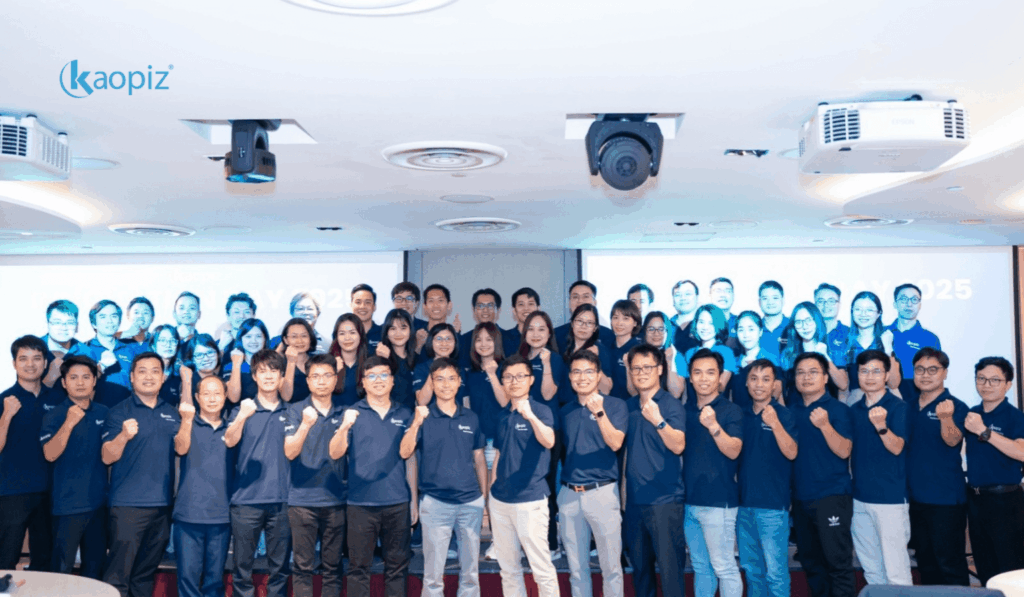
At Kaopiz, security is part of how software is delivered, not a separate service added at the end. Since 2014, our team of nearly 1,000 staff has delivered more than 1,000 projects for over 500 clients worldwide, and our ISO 27001 and ISO 9001 certifications mean our information security and quality processes are independently audited.
What this means for clients:
- Certified security management: ISO 27001 sets out how we protect client code, data, and systems throughout a project, from access control to incident handling.
- Security built into AI-assisted delivery: Kaopiz AI-SDLC brings AI into every phase of development while keeping the review and verification steps that AI-generated code needs.
- Clear ownership from day one: Security responsibilities are agreed at the start of each engagement, so clients know exactly who handles what.
Whether you’re building a new product or bringing AI into an existing one, our AI development services combine delivery speed with the security practices covered in this guide.
Conclusion
To sum up, a secure SDLC doesn’t require a large security team or an expensive tool stack. It requires one clear security outcome in each phase, rules the team can actually test, and a feedback loop that turns every finding into a better requirement.
Start with the controls that run themselves, such as peer review and dependency scanning, then add threat modeling and penetration testing where the risk justifies the effort. As AI writes more of the code, those basics matter more, not less.
FAQs
- What Is Secure SDLC in Simple Terms?
- Secure SDLC means checking for security at every step of building software, not only at the end. Teams plan security requirements, design against likely attacks, review code, test for weaknesses, and keep monitoring after release. This way, problems are fixed early, when they are faster and cheaper to solve.
- What Are the Phases of a Secure SDLC?
- A secure SDLC usually has six phases: planning and security requirements, secure design and threat modeling, secure coding and code review, security testing and verification, secure release and deployment, and operations and maintenance. Each phase adds a specific security activity to work the team already does.
- Does Secure SDLC Work With Agile?
- Yes. In Agile teams, security activities happen inside each sprint rather than as separate stages. Security requirements are added to user stories, threat modeling covers high-risk features, and automated scans run on every change. This keeps security continuous without slowing down short release cycles.
- Who Is Responsible for Secure SDLC in an Outsourced Project?
- The client remains accountable for the security of its product, even when a partner writes the code. Day-to-day responsibilities are usually shared: the partner handles secure coding, reviews, and scanning, while the client sets requirements and approves releases. The split should be agreed in the contract before work begins.
- Is Secure SDLC Required by Law in Australia?
- No Australian law requires a secure SDLC by name. However, the Privacy Act requires organizations to take reasonable steps to protect personal information, and APRA’s CPS 234 imposes information security obligations on regulated entities. A secure SDLC is one of the most practical ways to show those obligations are being met.
Author

Table of Contents
Don’t miss what’s next!
Thank you! Your form has been submitted successfully.